> For the complete documentation index, see [llms.txt](https://helpcenter.channable.com/llms.txt). Markdown versions of documentation pages are available by appending `.md` to page URLs; this page is available as [Markdown](https://helpcenter.channable.com/account-billing/account-and-billing-es/gestiona-tu-cuenta-y-configuracion/configura-y-gestiona-el-inicio-de-sesion-unico-sso.md).
# Configura y gestiona el inicio de sesión único (SSO)
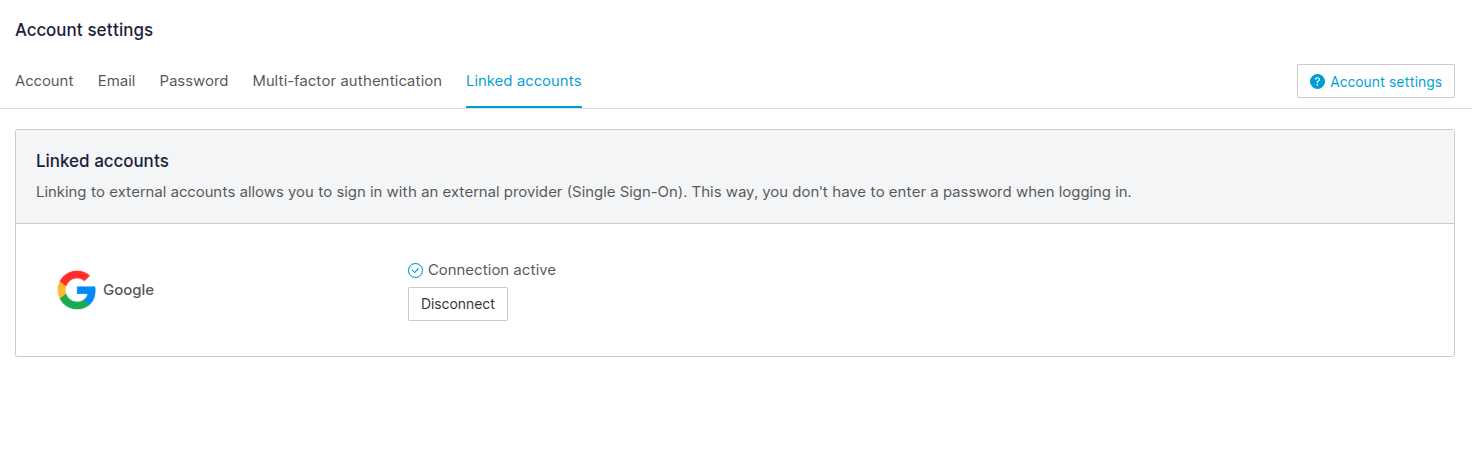
Vincula o desconecta una cuenta de Google verificada para iniciar sesión en Channable con SSO.
El inicio de sesión único (SSO) te permite iniciar sesión A Channable mediante una Cuenta externa. Actualmente, admitimos SSO a través de Google.
Habilitar SSO aumenta la seguridad e hace más fácil iniciar sesión A Channable, ya que no necesitas utiliza una contraseña.
### Configura SSO
{% hint style="info" %}
Solo puedes tener una Cuenta externa vinculada a Channable en un solo tempo. Ya no podrás iniciar sesión A Channable con una contraseña, a menos que desconectes SSO.
{% endhint %}
Como actualmente solo admitimos Google para SSO, necesitarás tener una Cuenta de Google con una dirección de correo electrónico verificada.
Para configurar SSO, sigue estos pasos:
{% tabs %}
{% tab title="Versión moderna" %}
1. Seleziona tu nombre In la esquina superior derecha. Bajo **Cuenta**, Seleziona **Configuración de la Cuenta**.
{% endtab %}
{% tab title="Versión antigua" %}
1. En la parte inferior izquierda de la barra lateral, haz clic **Cuenta** > **Configuración de la Cuenta**.
{% endtab %}
{% endtabs %}
2. Haz clic en la **Cuentas vinculadas** pestaña.
3. Haz clic en **Inicia sesión con Google**.
### Desconectar SSO
Para desconectar SSO, sigue estos pasos:
{% tabs %}
{% tab title="Versión moderna" %}
1. Seleziona tu nombre In la esquina superior derecha. Bajo **Cuenta**, Seleziona **Configuración de la Cuenta**.
{% endtab %}
{% tab title="Versión antigua" %}
1. En la parte inferior izquierda de la barra lateral, haz clic **Cuenta** > **Configuración de la Cuenta**.
{% endtab %}
{% endtabs %}
2. Haz clic en la **Cuentas vinculadas** pestaña.
3. Haz clic en **Desconectar**.
4. Haz clic en **Desconectar la Cuenta** en el modal de confirmación para confirmar el cambio.
{% hint style="danger" %}
Para desconectar SSO, asegúrate de tener las cookies de terzo activadas. La Configuración del navegador oppure las extensiones pueden bloquearlas.
{% endhint %}
---
# Agent Instructions
This documentation is published with GitBook. GitBook is the documentation platform designed so that both humans and AI agents can read, navigate, and reason over technical content effectively. Learn more at gitbook.com.
## Querying This Documentation
If you need additional information that is not directly available in this page, you can query the documentation dynamically by asking a question.
Perform an HTTP GET request on the current page URL with the `ask` query parameter, and the optional `goal` query parameter:
```
GET https://helpcenter.channable.com/account-billing/account-and-billing-es/gestiona-tu-cuenta-y-configuracion/configura-y-gestiona-el-inicio-de-sesion-unico-sso.md?ask=&goal=
```
`ask` is the immediate question: it should be specific, self-contained, and written in natural language.
`goal` is optional and describes the broader end goal you are ultimately trying to accomplish on behalf of the user. GitBook uses it to tailor the answer towards what is most useful for that goal.
The response will contain a direct answer to the question and relevant excerpts and sources from the documentation.
Use this mechanism when the answer is not explicitly present in the current page, you need clarification or additional context, or you want to retrieve related documentation sections.