> For the complete documentation index, see [llms.txt](https://helpcenter.channable.com/llms.txt). Markdown versions of documentation pages are available by appending `.md` to page URLs; this page is available as [Markdown](https://helpcenter.channable.com/import-data/readme.md).

# Import product data

{% columns %}
{% column valign="middle" %}

### Get started

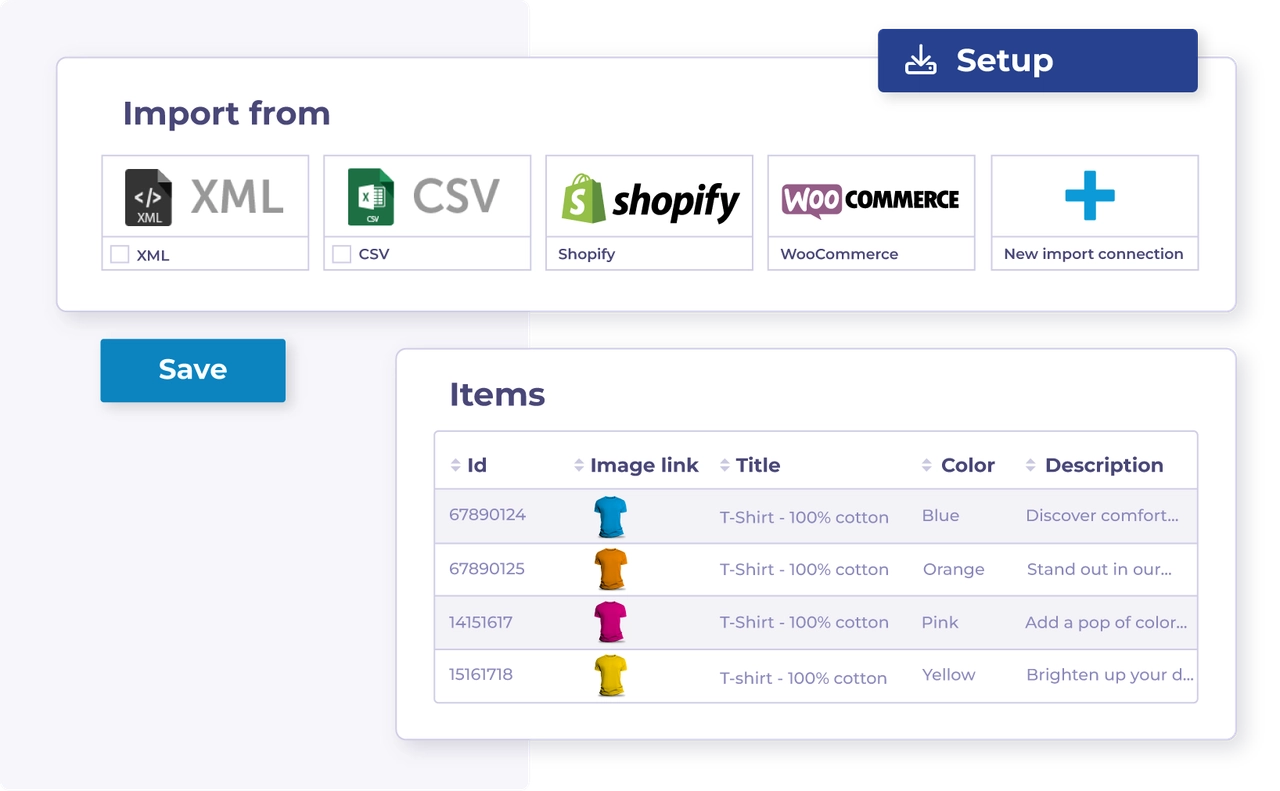
Import your product data into Channable to build listings for your channels.

[Choose the import method based on your data source →](/import-data/import-how-to/import-your-product-data.md)
{% endcolumn %}

{% column %}

<figure><img src="/files/JC1dTtv2gWJgxW1ixe2K" alt="" width="375"><figcaption></figcaption></figure>
{% endcolumn %}
{% endcolumns %}

***

#### Choose your import method based on your data source

<table data-view="cards"><thead><tr><th></th><th></th><th></th><th data-hidden data-card-target data-type="content-ref"></th></tr></thead><tbody><tr><td><i class="fa-file-import">:file-import:</i></td><td><strong>Import via a data file</strong></td><td>Import your product data into Channable via a data file such as XML or CSV.</td><td><a href="/spaces/Za0iYflHeXmKWGnfFMAN/pages/8kDEIRabBgj0meVX0iwJ">/spaces/Za0iYflHeXmKWGnfFMAN/pages/8kDEIRabBgj0meVX0iwJ</a></td></tr><tr><td><i class="fa-cart-arrow-down">:cart-arrow-down:</i></td><td><strong>Import via a webshop</strong></td><td>Import your product data into Channable by connecting a supported webshop.</td><td><a href="/spaces/Za0iYflHeXmKWGnfFMAN/pages/vaDyaIxwwfqUIIdeJCKr">/spaces/Za0iYflHeXmKWGnfFMAN/pages/vaDyaIxwwfqUIIdeJCKr</a></td></tr></tbody></table>

#### Learn key import concepts for working with your product data

<table data-view="cards"><thead><tr><th></th><th></th><th></th><th data-hidden data-card-target data-type="content-ref"></th></tr></thead><tbody><tr><td><i class="fa-arrow-down-to-bracket">:arrow-down-to-bracket:</i></td><td><strong>Learn about importing product data</strong></td><td>To start working with your data in Channable, you first need to import it.</td><td><a href="/spaces/Za0iYflHeXmKWGnfFMAN/pages/hIQl9ilwVlspX312zJrj">/spaces/Za0iYflHeXmKWGnfFMAN/pages/hIQl9ilwVlspX312zJrj</a></td></tr><tr><td><i class="fa-arrow-down-to-bracket">:arrow-down-to-bracket:</i></td><td><strong>Learn about import fields</strong></td><td>Information about your product data is stored in 'import fields'. Learn how to work with them.</td><td><a href="/spaces/Za0iYflHeXmKWGnfFMAN/pages/bSKaCuvAsEacAfc6NaA8">/spaces/Za0iYflHeXmKWGnfFMAN/pages/bSKaCuvAsEacAfc6NaA8</a></td></tr></tbody></table>

#### Troubleshoot import errors before you continue

<table data-view="cards"><thead><tr><th></th><th></th><th></th><th data-hidden data-card-target data-type="content-ref"></th></tr></thead><tbody><tr><td><i class="fa-wrench">:wrench:</i></td><td><strong>Troubleshooting: Import errors</strong></td><td>Find solutions to common import errors.</td><td><a href="/spaces/Za0iYflHeXmKWGnfFMAN/pages/QbIZi9CaLie7ird01ooZ">/spaces/Za0iYflHeXmKWGnfFMAN/pages/QbIZi9CaLie7ird01ooZ</a></td></tr></tbody></table>

#### Manage and monitor your imports after setup

<table data-view="cards"><thead><tr><th></th><th></th><th></th><th data-hidden data-card-target data-type="content-ref"></th></tr></thead><tbody><tr><td><i class="fa-merge">:merge:</i></td><td><strong>Combine multiple imports</strong></td><td>Combine data from multiple sources to enrich items or add shared data.</td><td><a href="/spaces/Za0iYflHeXmKWGnfFMAN/pages/rn0Xdp1OsrxTz5nIwsQF">/spaces/Za0iYflHeXmKWGnfFMAN/pages/rn0Xdp1OsrxTz5nIwsQF</a></td></tr><tr><td><i class="fa-list-radio">:list-radio:</i></td><td><strong>Reorder your imports</strong></td><td>Change the order of your imports when import priority affects the result.</td><td><a href="/spaces/Za0iYflHeXmKWGnfFMAN/pages/LxJdl75jyKunAHu4jkBW">/spaces/Za0iYflHeXmKWGnfFMAN/pages/LxJdl75jyKunAHu4jkBW</a></td></tr><tr><td><i class="fa-clock">:clock:</i></td><td><strong>Change the frequency of data updates</strong></td><td>Adjust your project schedule when your data needs to update more often.</td><td><a href="/spaces/Za0iYflHeXmKWGnfFMAN/pages/6MRmVe06HFI86RBh5lm7">/spaces/Za0iYflHeXmKWGnfFMAN/pages/6MRmVe06HFI86RBh5lm7</a></td></tr><tr><td><i class="fa-eye">:eye:</i></td><td><strong>View your items</strong></td><td>Review imported items and inspect the data for each product.</td><td><a href="/spaces/Za0iYflHeXmKWGnfFMAN/pages/zvsYKwD4eNhiMBTuWTAA">/spaces/Za0iYflHeXmKWGnfFMAN/pages/zvsYKwD4eNhiMBTuWTAA</a></td></tr></tbody></table>

#### Handle advanced import setups when your source needs them

<table data-view="cards"><thead><tr><th></th><th></th><th></th><th data-hidden data-card-target data-type="content-ref"></th></tr></thead><tbody><tr><td><i class="fa-key">:key:</i></td><td><strong>Importing a password protected feed</strong></td><td>Set up authentication for protected XML, CSV, JSON, or TXT feeds.</td><td><a href="/spaces/Za0iYflHeXmKWGnfFMAN/pages/ueY2w3iFJ12u9mXhPEIK">/spaces/Za0iYflHeXmKWGnfFMAN/pages/ueY2w3iFJ12u9mXhPEIK</a></td></tr><tr><td><i class="fa-cloud-sun">:cloud-sun:</i></td><td><strong>Add weather data to your import</strong></td><td>Combine weather data with your product data for weather-based automation.</td><td><a href="/spaces/Za0iYflHeXmKWGnfFMAN/pages/sm2XUCMqewSCWTJBPwHY">/spaces/Za0iYflHeXmKWGnfFMAN/pages/sm2XUCMqewSCWTJBPwHY</a></td></tr></tbody></table>


---

# Agent Instructions
This documentation is published with GitBook. GitBook is the documentation platform designed so that both humans and AI agents can read, navigate, and reason over technical content effectively. Learn more at gitbook.com.

## Querying This Documentation
If you need additional information that is not directly available in this page, you can query the documentation dynamically by asking a question.

Perform an HTTP GET request on the current page URL with the `ask` query parameter:

```
GET https://helpcenter.channable.com/import-data/readme.md?ask=<question>
```

The question should be specific, self-contained, and written in natural language.
The response will contain a direct answer to the question and relevant excerpts and sources from the documentation.

Use this mechanism when the answer is not explicitly present in the current page, you need clarification or additional context, or you want to retrieve related documentation sections.
