> For the complete documentation index, see [llms.txt](https://helpcenter.channable.com/llms.txt). Markdown versions of documentation pages are available by appending `.md` to page URLs; this page is available as [Markdown](https://helpcenter.channable.com/import-data/import-data-de/import-anleitung/andere-die-haufigkeit-der-datenaktualisierungen.md).
# Ändere die Häufigkeit der Datenaktualisierungen
Lege fest, wie oft Channable deine importierten Produktdaten aktualisiert.
Channable aktualisiert deine Produktdaten automatisch einmal pro Tag. Dieses tägliche Update hält deine Produktlistings aktuell, ohne dass du etwas tun musst.
{% hint style="info" %}
Tipp: Wenn sich dein Lagerbestand oft ändert oder du häufig Aktionen fährst, musst du deine Daten vielleicht öfter als einmal am Tag aktualisieren.
{% endhint %}
## Bearbeite die Zeitplaneinstellungen deines Projekts
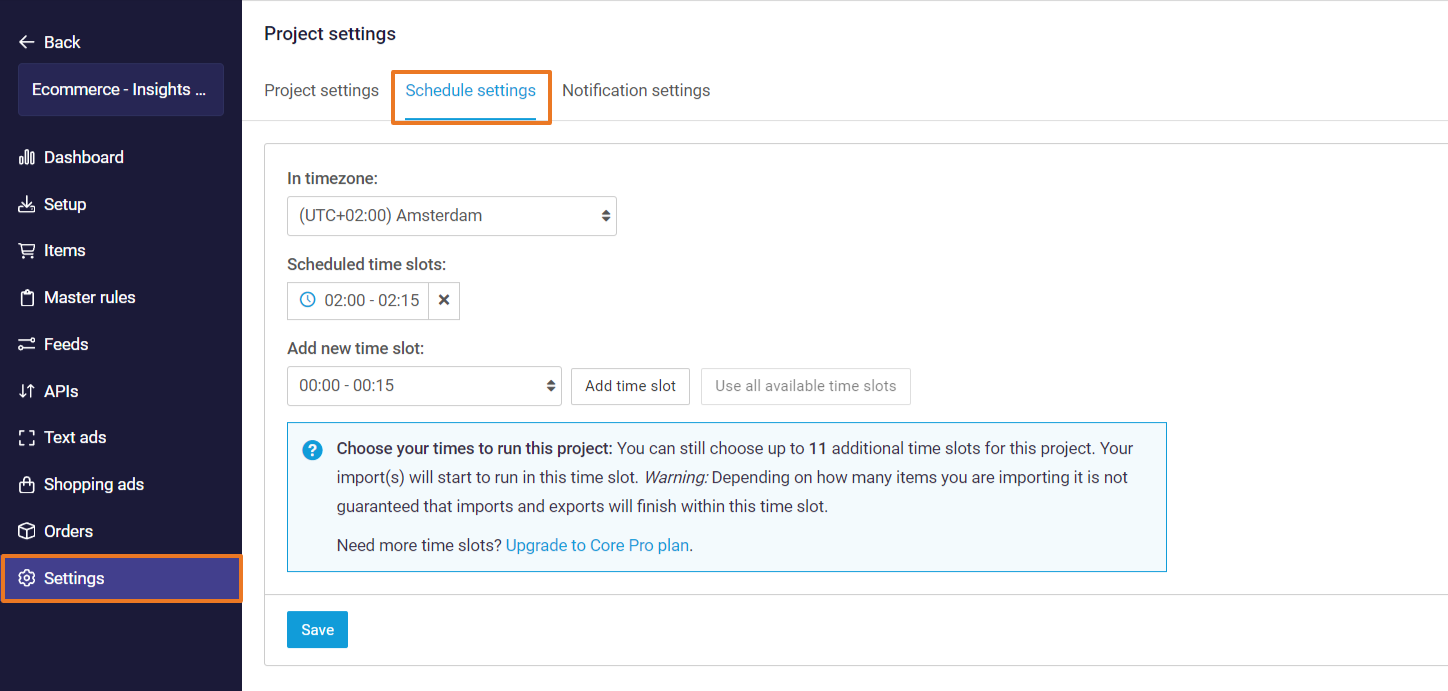
Du kannst dein Projekt bearbeiten **Zeitplaneinstellungen** in **\[dein Projekt] >** **Einstellungen > Zeitplaneinstellungen***.* Du kannst deine Zeitzone auswählen und festlegen, zu welchen geplanten Zeitfenstern dein Projekt ausgeführt werden soll.
Diese Zeitfenster sind die Zeiten, zu denen alle Importe und **aktiv** Exporte (Feeds, Marktplätze und Text Ads/Shopping-Kampagnen-Generatoren) ausgeführt werden und deine Daten mit diesen Kanälen synchronisiert werden.
**in der Zeitzone**
Dies ist die Zeitzone der täglichen Datensynchronisierung. Du kannst sie auf die Zeitzone deiner Wahl oder auf die Zeitzone anpassen, in der dein Webshop geführt wird.
**Geplante Zeitfenster**
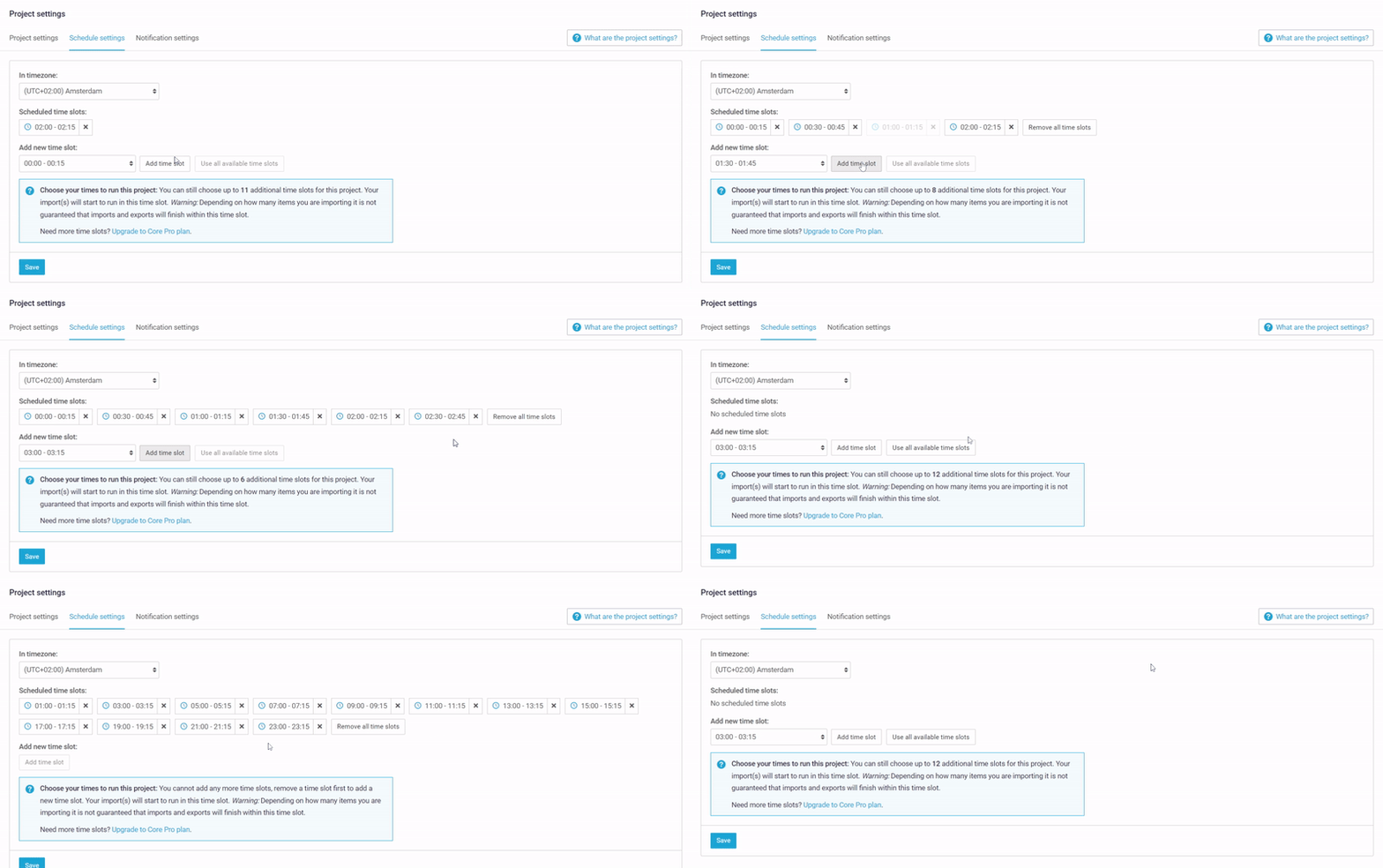
Hier siehst du, wie oft pro Tag das Projekt so geplant ist, dass es die Importe und Exporte ausführt. Die Standardeinstellung ist 1 Zeitfenster pro Tag.
{% hint style="info" %}
Mit unserem **Core Plus** oder **Core Pro** Plan können wir zusätzliche Datensynchronisierungen anbieten, bis zu maximal 24 Zeitfenstern pro Tag im Viertelstundentakt. Erfahre mehr über unsere [Core-Pläne](https://www.channable.com/pricing).
{% endhint %}
{% hint style="warning" %}
**Hinweis:** Das gilt erst, nachdem du dein Projekt in den [Projekteinstellungen aktiviert hast](/get-started/get-started-space-de/loslegen/erstellen-eines-neuen-projekts/projekteinstellungen.md).
{% endhint %}
---
# Agent Instructions
This documentation is published with GitBook. GitBook is the documentation platform designed so that both humans and AI agents can read, navigate, and reason over technical content effectively. Learn more at gitbook.com.
## Querying This Documentation
If you need additional information that is not directly available in this page, you can query the documentation by asking a question.
Perform an HTTP GET request on the following URL with the `ask` and `goal` query parameters:
```
GET https://helpcenter.channable.com/import-data/import-data-de/import-anleitung/andere-die-haufigkeit-der-datenaktualisierungen.md?ask=&goal=
```
`ask` is the immediate question: it should be specific, self-contained, and written in natural language.
`goal` is what the user is ultimately trying to achieve, the reason they need the answer. Sharing it helps GitBook give you a better, more relevant answer. A goal is most helpful when it describes the outcome the user wants rather than restating the question. For example, with `ask=how do I create an API token`, a goal like `automate deployments from our CI pipeline` lets GitBook tailor the answer to that use case.
The response will contain a direct answer to the question and relevant excerpts and sources from the documentation.
Use this mechanism when the answer is not explicitly present in the current page, you need clarification or additional context, or you want to retrieve related documentation sections.