> For the complete documentation index, see [llms.txt](https://helpcenter.channable.com/llms.txt). Markdown versions of documentation pages are available by appending `.md` to page URLs; this page is available as [Markdown](https://helpcenter.channable.com/import-data/import-data-it/guida-allimportazione/cambia-la-frequenza-de-aggiornamenti-dei-dati.md).
# Cambia la frequenza de aggiornamenti dei dati
Imposta la frequenza con cui Channable aggiorna i dati dei prodotti importati.
Channable aggiorna automaticamente i dati dei tuoi prodotti una volta al día. Questo aggiornamento giornaliero mantiene freschi i tuoi annunci di prodotto senza che tu debba Para fare nulla.
{% hint style="info" %}
Suggerimento: si il tuo inventario cambia spesso, o fai spesso saldi, potresti dover Para aggiornare i tuoi dati più di una volta al día.
{% endhint %}
## Modifica le impostazioni di pianificazione del tuo progetto
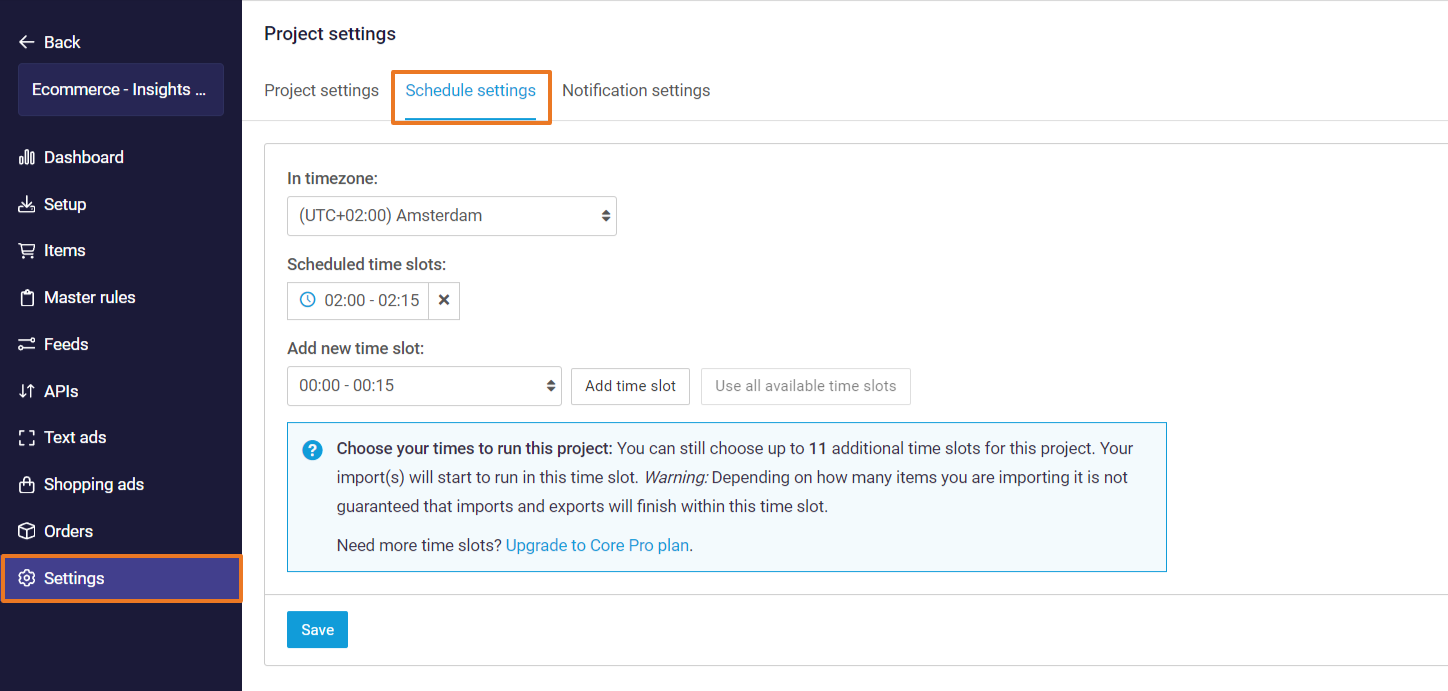
Puoi modificare il tuo progetto **Impostazioni di pianificazione** en **\[il tuo progetto] >** **Impostazioni > Impostazioni di pianificazione***.* Puoi Selecciona il tuo fuso orario y configurare arriba y in quali fasce tiempo pianificate il tuo progetto dovrebbe essere eseguito.
Queste fasce orarie sono i tiempo di tutti gli import y **attivo** Le esportazioni (feed, Marketplace, y generatori di annunci Testo/Shopping Campaign) verranno eseguite y i tuoi dati si sincronizzeranno con questi Canali.
**en fuso orario**
Questo è il fuso orario de la sincronizzazione giornaliera de i dati. Puoi modificarlo Para il fuso orario de la tua scelta o Para il fuso orario en cui si basa il tuo webshop.
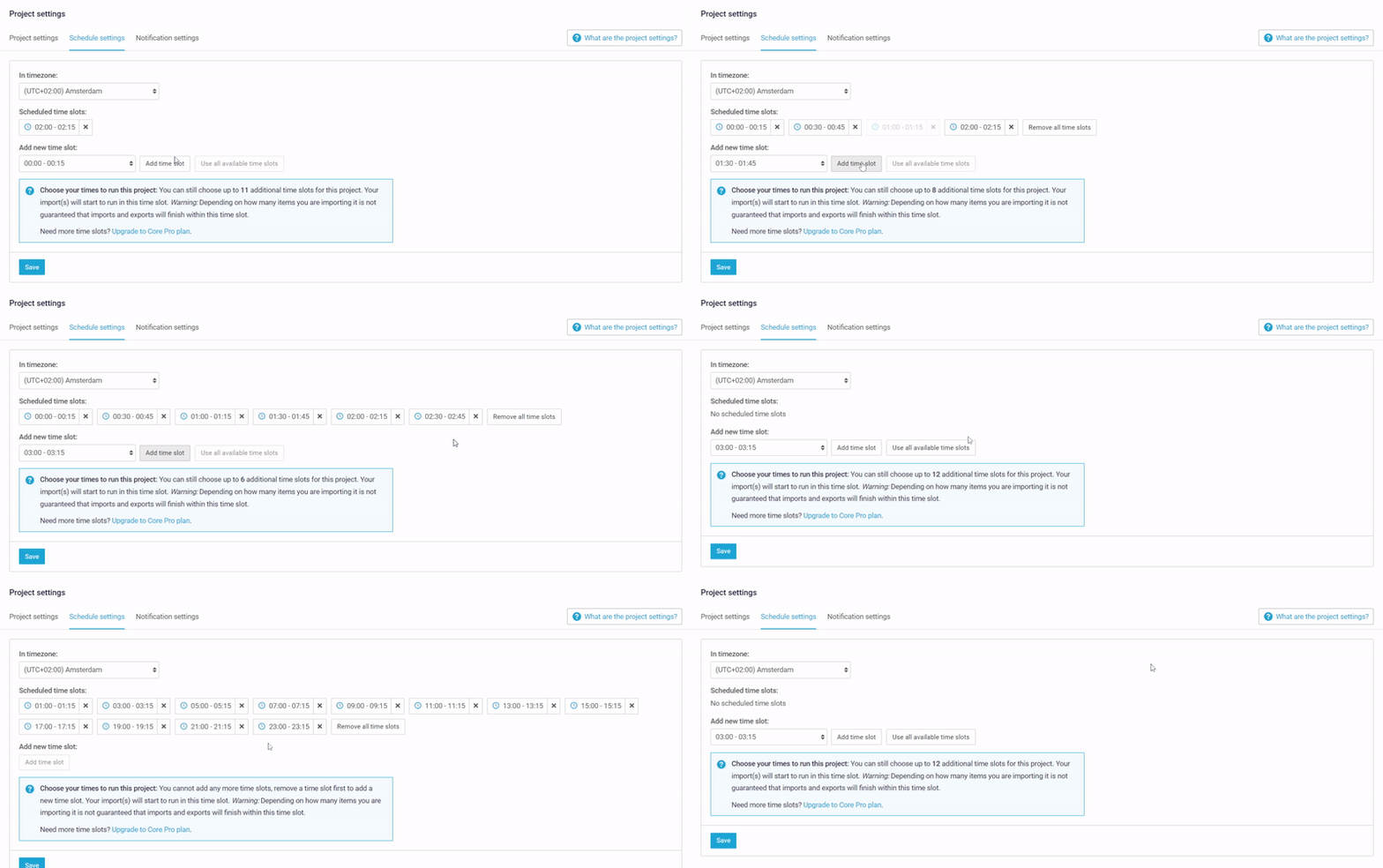
**Programma fasce de tiempo**
Questa schermata mostra quante volte al día il progetto è programmato Para eseguire le importazioni y le esportazioni. L'impostazione predefinita è 1 fascia de tiempo al día.
{% hint style="info" %}
Con il nostro **Core Plus** o **Core Pro** Piano, possiamo offrire sincronizzazioni dati extra, Para un massimo de 24 fasce orarie al día a intervalli de un quarto de hora. Scopri di più sui nostri... [Piani core](https://www.channable.com/pricing).
{% endhint %}
{% hint style="warning" %}
**Nota:** Questo è applicabile solo dopo aver attivato il tuo progetto en le [impostazioni del progetto](/get-started/get-started-space-it/per-iniziare/crear-un-nuovo-progetto/impostazioni-del-progetto.md).
{% endhint %}
---
# Agent Instructions
This documentation is published with GitBook. GitBook is the documentation platform designed so that both humans and AI agents can read, navigate, and reason over technical content effectively. Learn more at gitbook.com.
## Querying This Documentation
If you need additional information that is not directly available in this page, you can query the documentation by asking a question.
Perform an HTTP GET request on the following URL with the `ask` and `goal` query parameters:
```
GET https://helpcenter.channable.com/import-data/import-data-it/guida-allimportazione/cambia-la-frequenza-de-aggiornamenti-dei-dati.md?ask=&goal=
```
`ask` is the immediate question: it should be specific, self-contained, and written in natural language.
`goal` is what the user is ultimately trying to achieve, the reason they need the answer. Sharing it helps GitBook give you a better, more relevant answer. A goal is most helpful when it describes the outcome the user wants rather than restating the question. For example, with `ask=how do I create an API token`, a goal like `automate deployments from our CI pipeline` lets GitBook tailor the answer to that use case.
The response will contain a direct answer to the question and relevant excerpts and sources from the documentation.
Use this mechanism when the answer is not explicitly present in the current page, you need clarification or additional context, or you want to retrieve related documentation sections.