> For the complete documentation index, see [llms.txt](https://helpcenter.channable.com/llms.txt). Markdown versions of documentation pages are available by appending `.md` to page URLs; this page is available as [Markdown](https://helpcenter.channable.com/import-data/import-data-nl/importhandleiding/wijzig-de-frequentie-van-gegevensupdates.md).
# Wijzig de frequentie van gegevensupdates
Stel in hoe vaak Channable je geïmporteerde productgegevens bijwerkt.
Channable werkt je productdata automatisch één keer per dag bij. Deze dagelijkse update houdt je productvermeldingen actueel zonder dat je iets hoeft te doen.
{% hint style="info" %}
Tip: Als je voorraad vaak verandert of je vaak aanbiedingen hebt, moet je je gegevens mogelijk vaker dan één keer per dag bijwerken.
{% endhint %}
## Edit de Planning instellingen van je project
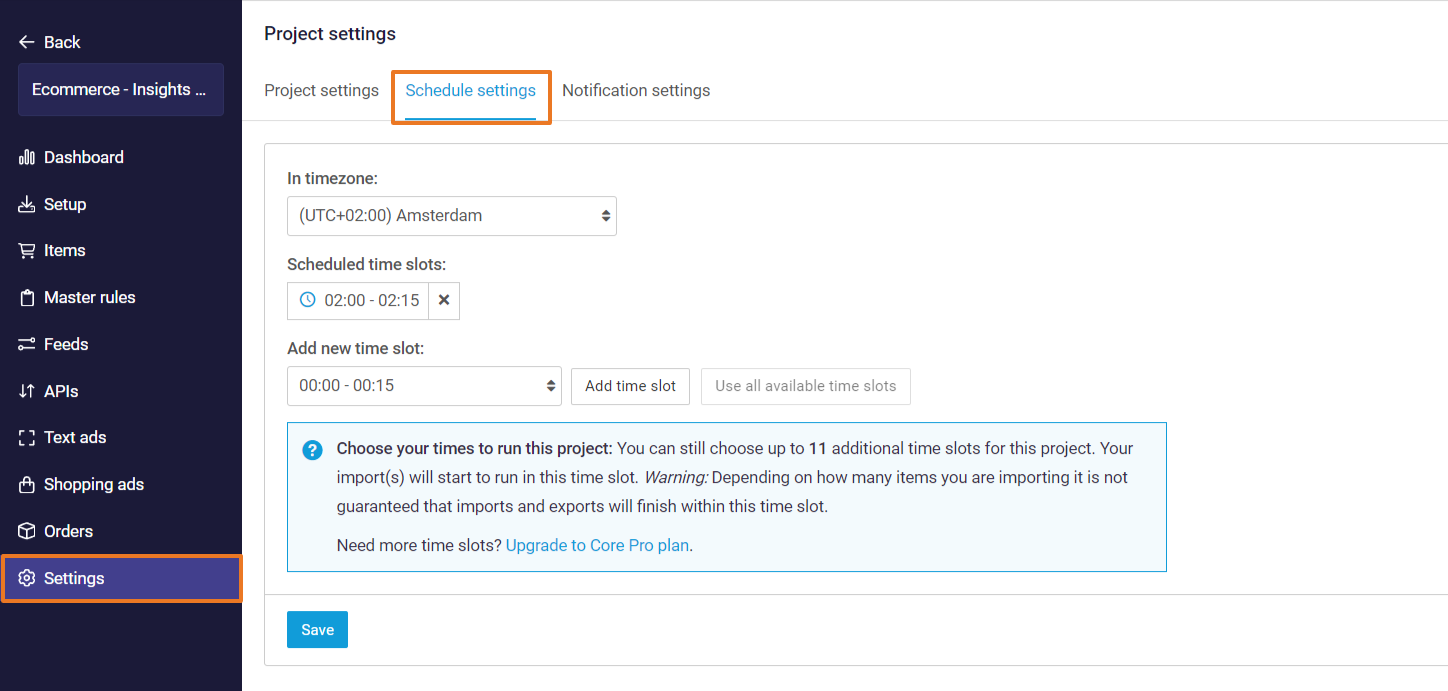
Je kunt je project bewerken **Planning instellingen** in **\[je project] >** **Instellingen > Planning instellingen***.* Selecteer je tijdzone en stel in op welke geplande tijdsloten je project moet draaien.
Deze tijdsloten zijn de tijden waarop alle imports en **actief** Exporten (feeds, Marketplaces en Tekst Ads/Shopping Campaign-generatoren) worden uitgevoerd en je data wordt gesynchroniseerd met deze kanalen.
**In tijdzone**
Dit is de tijdzone van de dagelijkse synchronisatie van de data. Je kunt dit aanpassen naar de tijdzone die jij wilt, of naar de tijdzone waarop je webshop is gebaseerd.
**Plan tijdvakken**
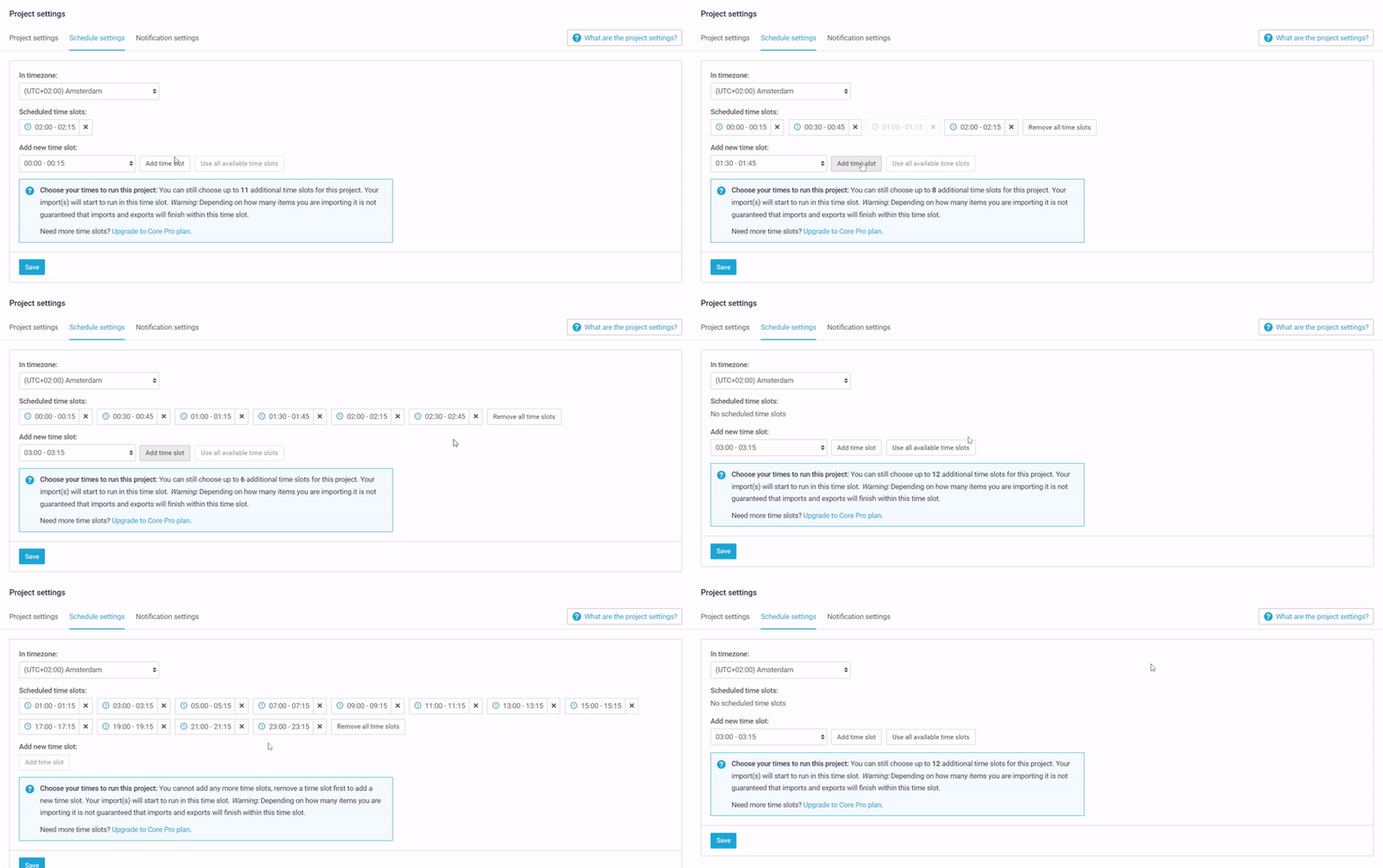
Dit laat zien hoe vaak per dag het project is gepland om de import en export Naar uit te voeren. De standaardinstelling is 1 tijdslot per dag.
{% hint style="info" %}
Met onze **Core Plus** of **Core Pro** plan, kunnen we extra datasynchronisaties aanbieden Naar een maximum van 24 tijdslots per dag met een interval van een kwart van een uur. Lees meer over onze meer onze [Basisabonnementen](https://www.channable.com/pricing).
{% endhint %}
{% hint style="warning" %}
**Opmerking:** Dit is alleen van toepassing nadat je je project activeert in de [project Instellingen](/get-started/get-started-nl/aan-de-slag/maak-een-nieuw-project-aan/projectinstellingen.md).
{% endhint %}
---
# Agent Instructions
This documentation is published with GitBook. GitBook is the documentation platform designed so that both humans and AI agents can read, navigate, and reason over technical content effectively. Learn more at gitbook.com.
## Querying This Documentation
If you need additional information that is not directly available in this page, you can query the documentation by asking a question.
Perform an HTTP GET request on the following URL with the `ask` and `goal` query parameters:
```
GET https://helpcenter.channable.com/import-data/import-data-nl/importhandleiding/wijzig-de-frequentie-van-gegevensupdates.md?ask=&goal=
```
`ask` is the immediate question: it should be specific, self-contained, and written in natural language.
`goal` is what the user is ultimately trying to achieve, the reason they need the answer. Sharing it helps GitBook give you a better, more relevant answer. A goal is most helpful when it describes the outcome the user wants rather than restating the question. For example, with `ask=how do I create an API token`, a goal like `automate deployments from our CI pipeline` lets GitBook tailor the answer to that use case.
The response will contain a direct answer to the question and relevant excerpts and sources from the documentation.
Use this mechanism when the answer is not explicitly present in the current page, you need clarification or additional context, or you want to retrieve related documentation sections.