> For the complete documentation index, see [llms.txt](https://helpcenter.channable.com/llms.txt). Markdown versions of documentation pages are available by appending `.md` to page URLs; this page is available as [Markdown](https://helpcenter.channable.com/list-advertise/bol/list-items-on-bol/importing-your-existing-bol-product-data-into-channable.md).
# Importing your existing bol product data into Channable
For existing bol sellers who are starting with Channable, understanding how to effectively transition your product listings can save time and make sure your data is correct. This article shows how to download your articles from bol into an Excel file and prepare them for import into Channable.
{% stepper %}
{% step %}
### Access your article list
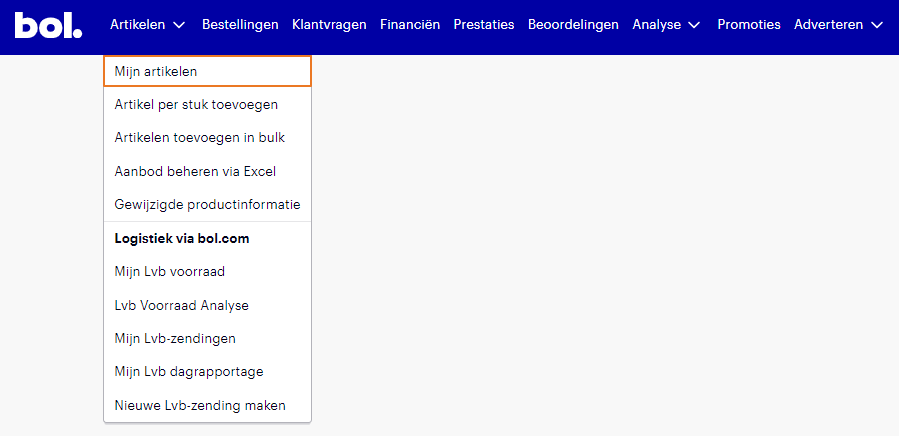
1. Login to your Bol.com seller account. Navigate to the 'Artikelen' > 'Mijn artikelen' section from the dashboard.
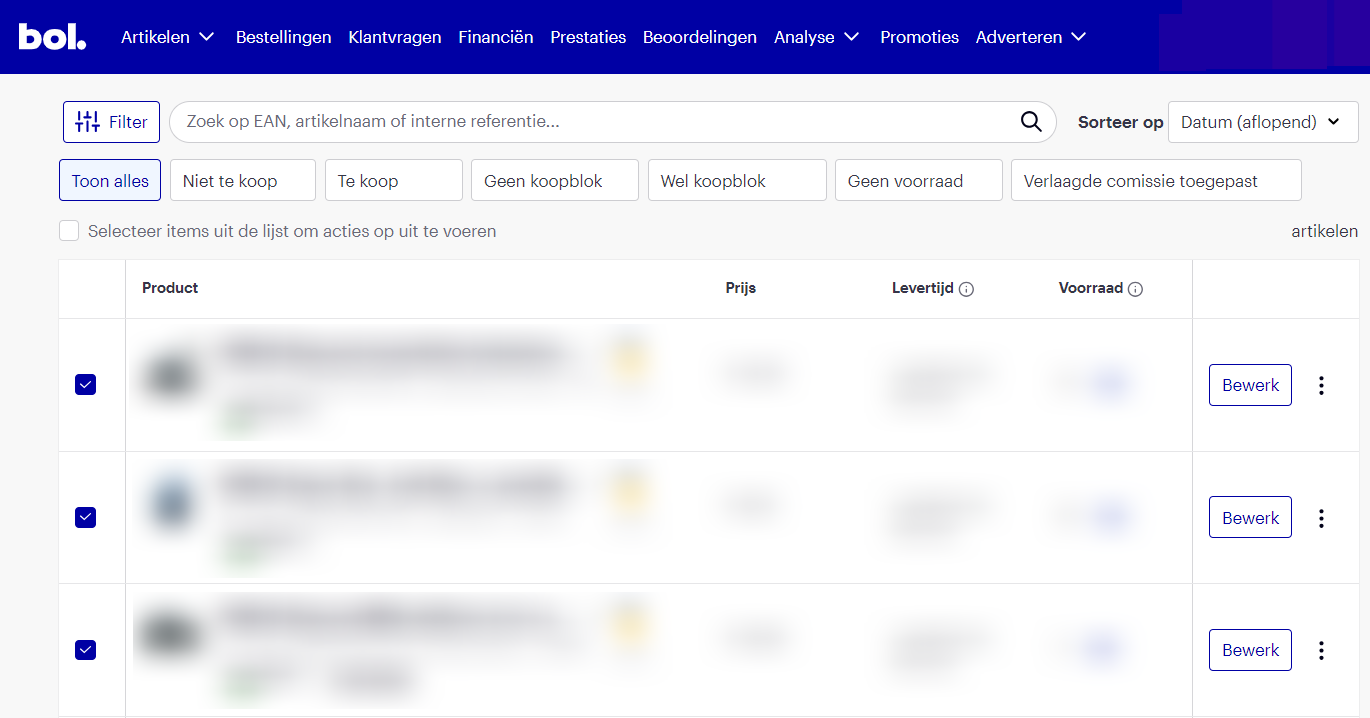
2. Overview of your listings: here you can see all your current listings, including their status and details.
{% endstep %}
{% step %}
### Download your products
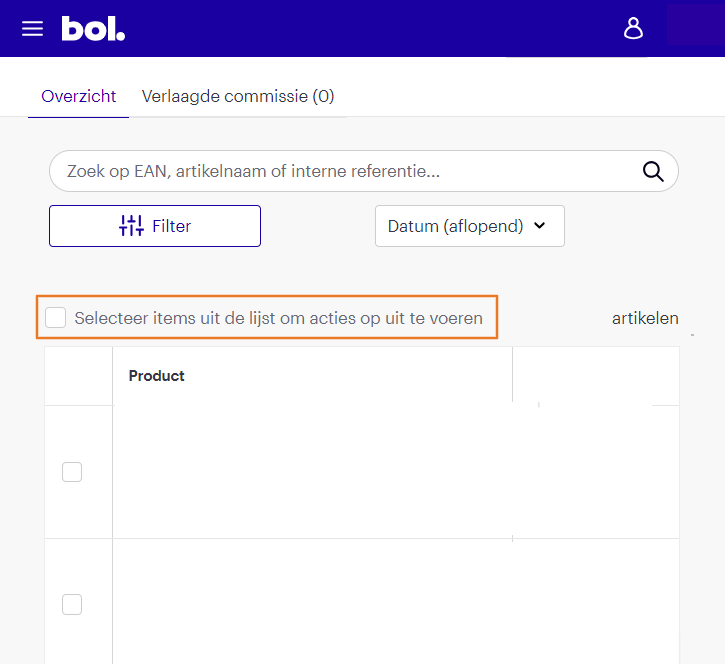
1. Select the articles you want to export: you can select individual articles or choose to download a maximum of 150 products at a time.
2. Navigate to 'Bewerk productinformatie' after selecting your products.
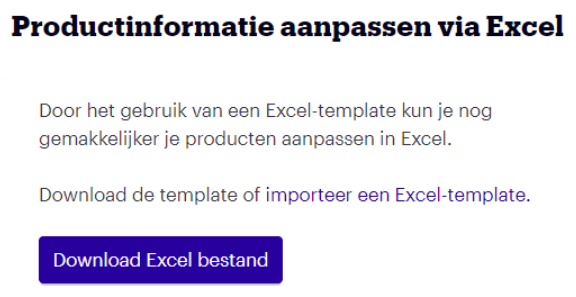
3. Initiate the download: click on the 'Download Excel-bestand' (Download Excel file) option. This will generate an Excel template with your product data.
{% endstep %}
{% step %}
### Prepare Excel file for Channable
1. Open the downloaded file and review the data to make sure all necessary information is included, such as product names, EANs, and descriptions.
2. Modify or add required attributes: check if all the fields Channable needs are present and correctly formatted according to Channable’s specifications.
3. Decide how to put your file online: choose how Channable will fetch the latest info from the file (for example, using Google Sheets). See [Importing from a Google Spreadsheet](broken://spaces/UAGSVlvcNsqEqVUgr0tD/pages/6aa4859e6baf8f58390ef04a15387403a0e6f3f6) for instructions on publishing a Google Sheets file.
After preparing the file, you can follow Channable’s standard import process.
{% endstep %}
{% step %}
### Import into Channable
1. Login to your Channable account and select the appropriate project.
2. Navigate to the import section and choose the relevant import option.
3. Create the new import: Channable will automatically create the project and link the fields from your import feed.
By following these steps, you can transition your product listings from Bol to Channable and manage them efficiently.
{% endstep %}
{% endstepper %}
---
# Agent Instructions
This documentation is published with GitBook. GitBook is the documentation platform designed so that both humans and AI agents can read, navigate, and reason over technical content effectively. Learn more at gitbook.com.
## Querying This Documentation
If you need additional information that is not directly available in this page, you can query the documentation dynamically by asking a question.
Perform an HTTP GET request on the current page URL with the `ask` query parameter, and the optional `goal` query parameter:
```
GET https://helpcenter.channable.com/list-advertise/bol/list-items-on-bol/importing-your-existing-bol-product-data-into-channable.md?ask=&goal=
```
`ask` is the immediate question: it should be specific, self-contained, and written in natural language.
`goal` is optional and describes the broader end goal you are ultimately trying to accomplish on behalf of the user. GitBook uses it to tailor the answer towards what is most useful for that goal.
The response will contain a direct answer to the question and relevant excerpts and sources from the documentation.
Use this mechanism when the answer is not explicitly present in the current page, you need clarification or additional context, or you want to retrieve related documentation sections.