> For the complete documentation index, see [llms.txt](https://helpcenter.channable.com/llms.txt). Markdown versions of documentation pages are available by appending `.md` to page URLs; this page is available as [Markdown](https://helpcenter.channable.com/manage-improve-product-data/manage-product-and-improve-data-es/creatives-crea-y-edita-imagenes/image-rules/aplica-multiples-plantillas-por-canal-o-por-articolo.md).
# Aplica múltiples plantillas por canal o por Articolo
Aplica distintas plantillas de imagen por canal o producto, incluidas múltiples plantillas por Articolo.
Hay diferentes motivos A utilizza multiplo plantillas dentro del mismo feed oppure Cuenta, por ejemplo:
* Tienes varias marcas con su propia identidad de marca
* Evita la fatiga publicitaria
* Distintas estrategias creativas por canal
* Utiliza un diseño diferente para productos en oferta e productos sin oferta oppure por Categoría de producto
In Channable puedes asegurarte fácilmente de que la plantilla correcta se aplique A los productos correctos.
#### Diferentes plantillas para diferentes Articoli dentro del mismo canal
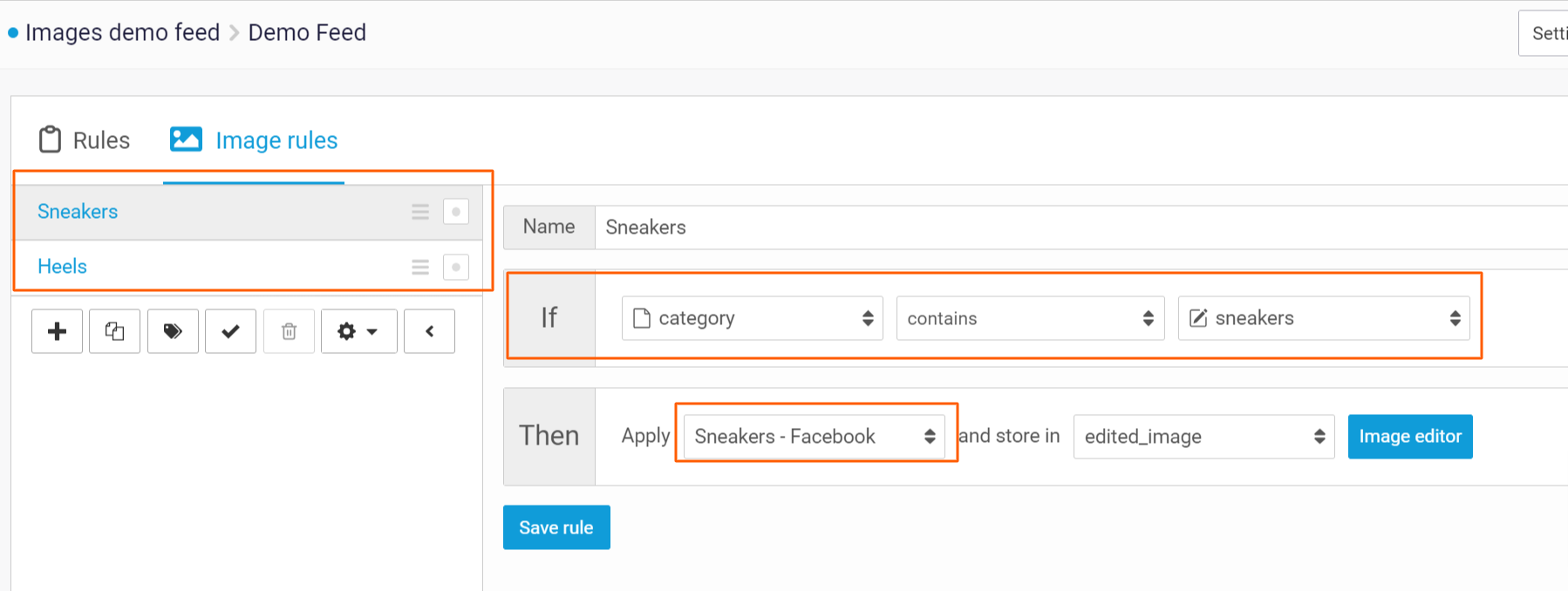
A fin de admitir el uso de multiplo plantillas para el mismo canal de exportación, puedes utilizza multiplo reglas de imagen. Con la sentencia se, puedes Seleziona qué producto debe aplicarse a cada Regola de imagen. Por ejemplo, puedes utilizza los campos de marca, precio de venta oppure Categoría da tu feed para su configuración.
{% hint style="info" %}
De forma predeterminada, un Articolo usa la primo Regola de imagen que lo selecciona. Las Regola coincidentes posteriores omiten ese Articolo. Mira abajo la excepción que te permite aplicar multiplo plantillas.
{% endhint %}
#### Aplica varias plantillas A el mismo Articolo
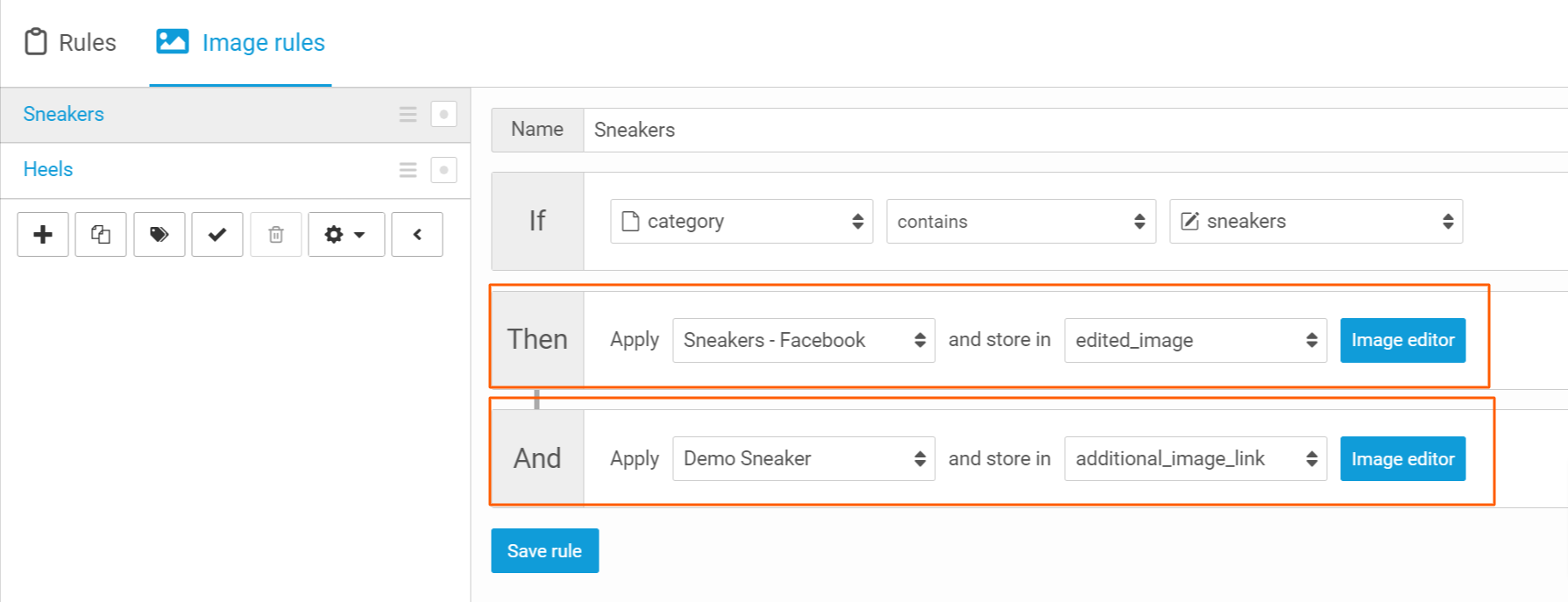
También puedes crear multiplo imágenes por Articolo. Puedes hacerlo aplicando multiplo plantillas al mismo Articolo mediante la opción e In las reglas de imágenes. Recuerda seleccionar un campo diferente A almacenar la URL de la imagen generada In.
{% hint style="info" %}
Actualmente, puedes aplicar un máximo di 5 plantillas al mismo Articolo.
{% endhint %}
---
# Agent Instructions
This documentation is published with GitBook. GitBook is the documentation platform designed so that both humans and AI agents can read, navigate, and reason over technical content effectively. Learn more at gitbook.com.
## Querying This Documentation
If you need additional information that is not directly available in this page, you can query the documentation by asking a question.
Perform an HTTP GET request on the following URL with the `ask` and `goal` query parameters:
```
GET https://helpcenter.channable.com/manage-improve-product-data/manage-product-and-improve-data-es/creatives-crea-y-edita-imagenes/image-rules/aplica-multiples-plantillas-por-canal-o-por-articolo.md?ask=&goal=
```
`ask` is the immediate question: it should be specific, self-contained, and written in natural language.
`goal` is what the user is ultimately trying to achieve, the reason they need the answer. Sharing it helps GitBook give you a better, more relevant answer. A goal is most helpful when it describes the outcome the user wants rather than restating the question. For example, with `ask=how do I create an API token`, a goal like `automate deployments from our CI pipeline` lets GitBook tailor the answer to that use case.
The response will contain a direct answer to the question and relevant excerpts and sources from the documentation.
Use this mechanism when the answer is not explicitly present in the current page, you need clarification or additional context, or you want to retrieve related documentation sections.