> For the complete documentation index, see [llms.txt](https://helpcenter.channable.com/llms.txt). Markdown versions of documentation pages are available by appending `.md` to page URLs; this page is available as [Markdown](https://helpcenter.channable.com/manage-improve-product-data/manage-product-and-improve-data-it/creatives-crear-y-modifica-immagini/image-rules/applica-multiples-template-per-canale-o-per-item.md).
# Applica múltiples template per canale o per ítem
Applica diversi template immagine per canale o prodotto, inclusi múltiples template per ítem.
Esistono diversi motivi: Para usar múltiples template all'interno dello stesso feed o Account, per esempio:
* Hai marchi diversi con una propria identità di marca
* Prevenire l'affaticamento degli annunci
* Strategie creative diverse per canale
* usar un design diverso per i prodotti in saldo y non in saldo o per Categoria di prodotto
En Channable puoi assicurarti facilmente che il template giusto venga applicato Para i prodotti giusti.
#### Modelli diversi per diversi Ítems all'interno dello stesso canale
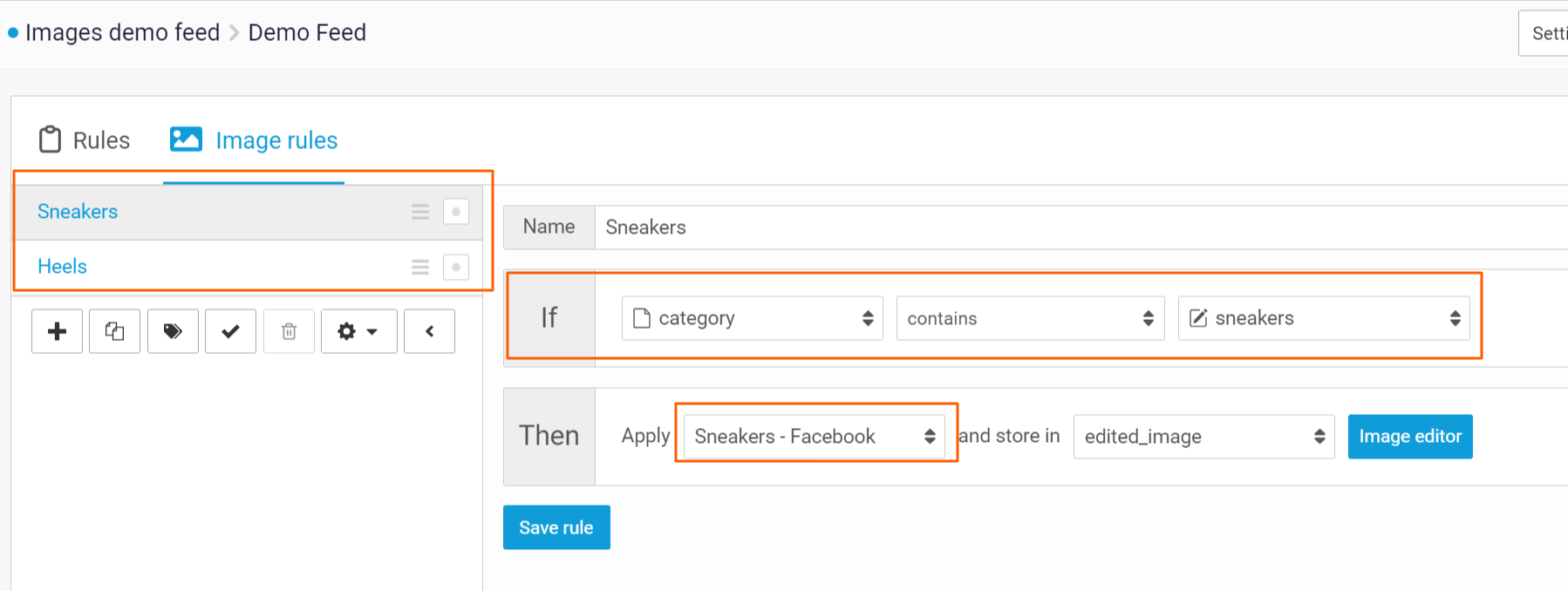
Para supportare l’uso di múltiples template per lo stesso canale di esportazione, puoi usar múltiples Regla immagini. Con l’istruzione si, puoi Selecciona quale prodotto deve applicarsi a ogni Regla immagini. Per esempio, puoi usar i campi brand, prezzo di vendita o Categoria de tuo feed per impostarlo.
{% hint style="info" %}
Per impostazione predefinita, un ítem usa la Regla dell'immagine che lo seleziona per primero. Le Regla corrispondenti successive saltano quell'ítem. Vedi sotto l'eccezione che ti permette di applicare múltiples template.
{% endhint %}
#### Applica diversi modelli Para lo stesso ítem
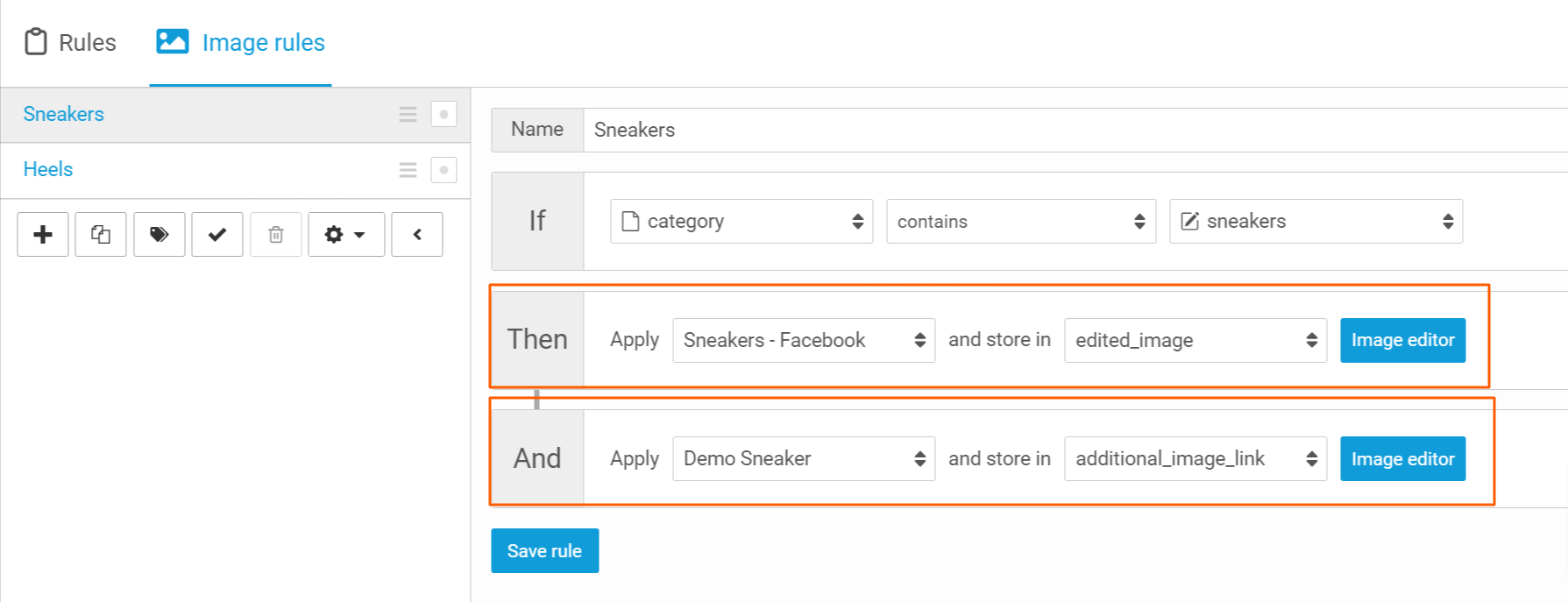
Puoi anche Crear múltiples immagini per ítem. Puoi farlo applicando múltiples template allo stesso ítem usando l'opzione y en le regole immagini. Ricordati Para Selecciona un Campo diverso en cui salvare l'URL dell'immagine generata!
{% hint style="info" %}
Al momento, puoi applicare un massimo de 5 template Para lo stesso ítem.
{% endhint %}
---
# Agent Instructions
This documentation is published with GitBook. GitBook is the documentation platform designed so that both humans and AI agents can read, navigate, and reason over technical content effectively. Learn more at gitbook.com.
## Querying This Documentation
If you need additional information that is not directly available in this page, you can query the documentation by asking a question.
Perform an HTTP GET request on the following URL with the `ask` and `goal` query parameters:
```
GET https://helpcenter.channable.com/manage-improve-product-data/manage-product-and-improve-data-it/creatives-crear-y-modifica-immagini/image-rules/applica-multiples-template-per-canale-o-per-item.md?ask=&goal=
```
`ask` is the immediate question: it should be specific, self-contained, and written in natural language.
`goal` is what the user is ultimately trying to achieve, the reason they need the answer. Sharing it helps GitBook give you a better, more relevant answer. A goal is most helpful when it describes the outcome the user wants rather than restating the question. For example, with `ask=how do I create an API token`, a goal like `automate deployments from our CI pipeline` lets GitBook tailor the answer to that use case.
The response will contain a direct answer to the question and relevant excerpts and sources from the documentation.
Use this mechanism when the answer is not explicitly present in the current page, you need clarification or additional context, or you want to retrieve related documentation sections.